
Parkade releases new failed payment parking controls
August 25, 2026



TABLE OF CONTENTS
In September 2026, Parkade released failed payments controls that give property managers more say over what happens when a resident misses a monthly parking payment. Here’s what’s new:
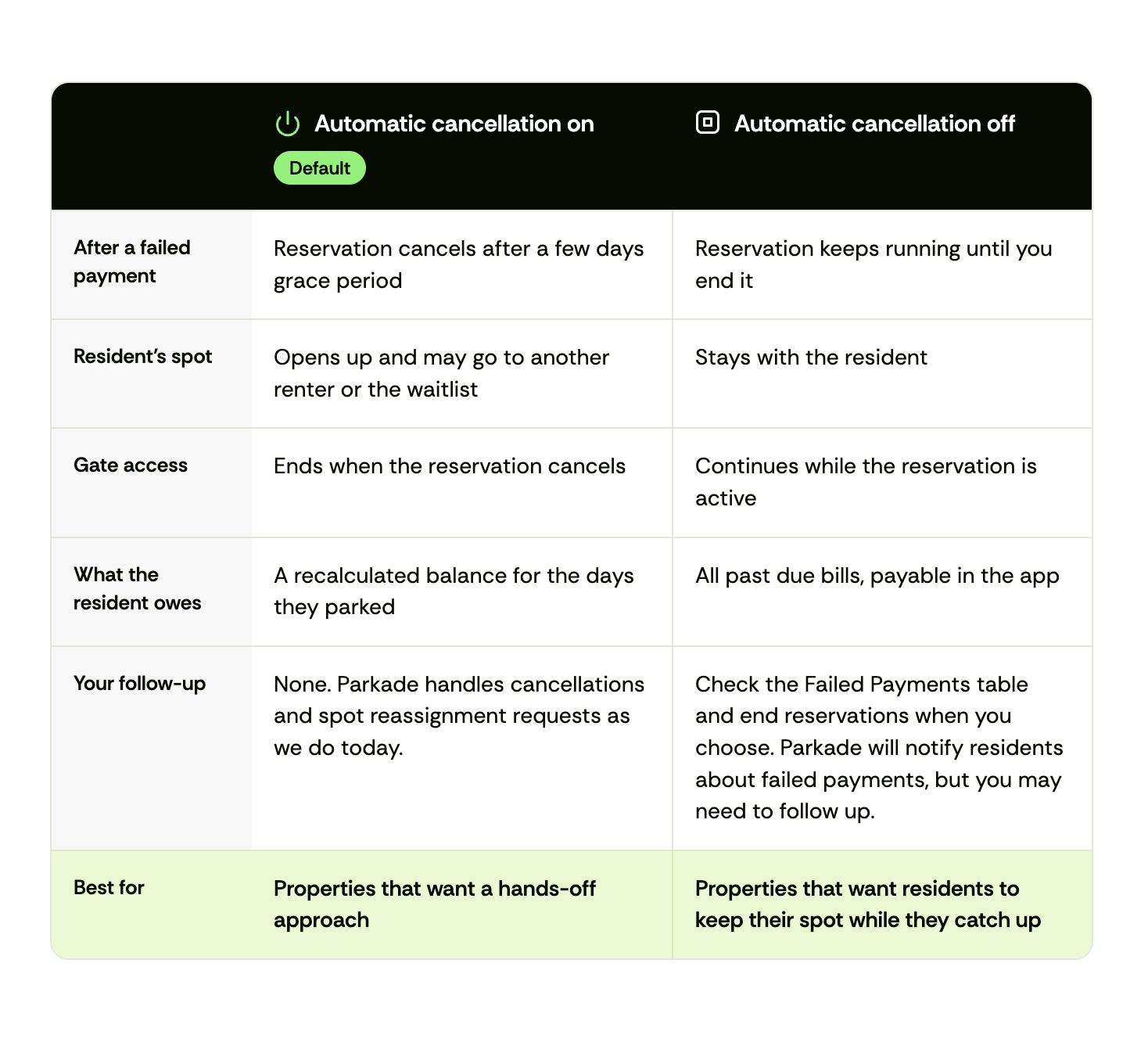
On Parkade, a resident who misses a monthly parking payment gets a grace period of a few days to a week to pay. Until September 2026, every reservation was canceled automatically when that grace period ended.
That approach was simple, but it didn't fit every property. A resident who was a few days late could lose their spot, and someone else could reserve it before they paid. Property managers then had to sort out who got the spot back, often with the new renter, the waitlist, and the original resident all involved.
Parkade now lets each lot decide. Automatic cancellation stays on by default, and any lot can turn it off. With it off, residents keep getting failed payment notices, but their reservations keep running until the property ends them.
The grace period still applies to every failed payment on monthly parking. Under either setting, residents can pay past due invoices in the Parkade app, and they can't make new reservations until they're caught up.
With automatic cancellation on, Parkade handles cancellations, but a resident can lose their spot over a short delay. With it off, residents keep their spot while they catch up, and the property decides when to end their reservation.
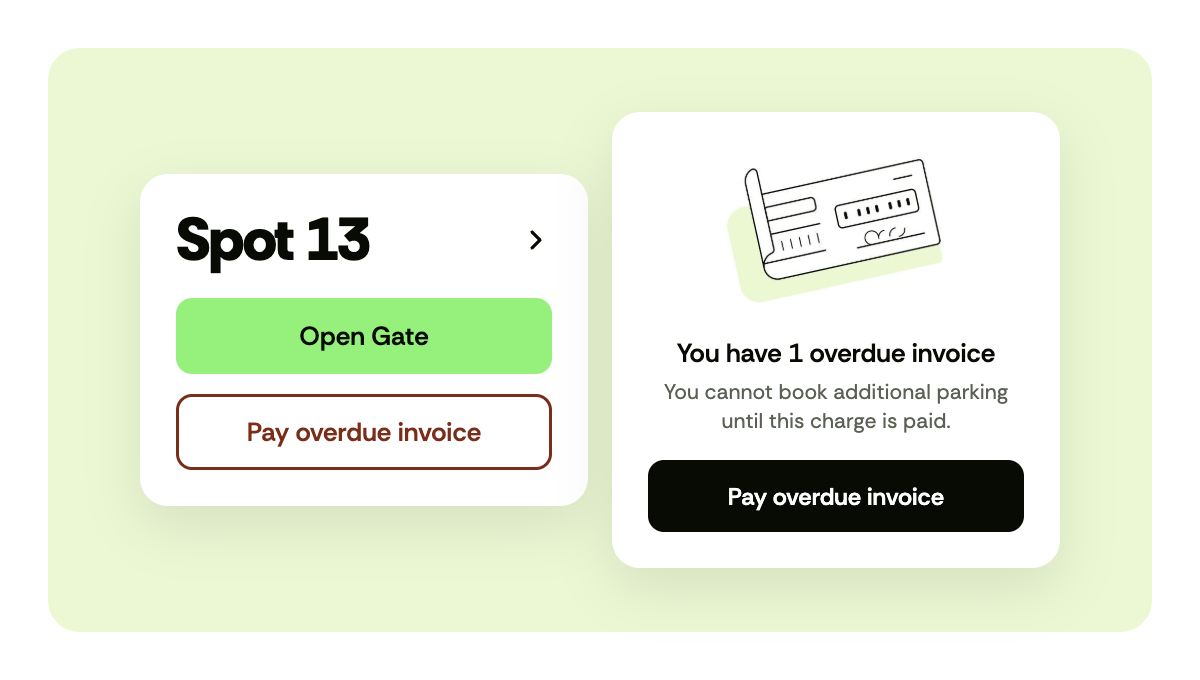
Residents pay past due parking invoices directly in the Parkade app. When a payment fails, they get an email and an in-app notice. In the app, they'll see:
If a reservation cancels, a recalculated invoice for the days the resident parked stays on their account. For example, a resident who pays $100/month and whose reservation cancels on August 8 owes $23.33 for August 1 to August 8. They must pay that invoice before they can reserve parking again.
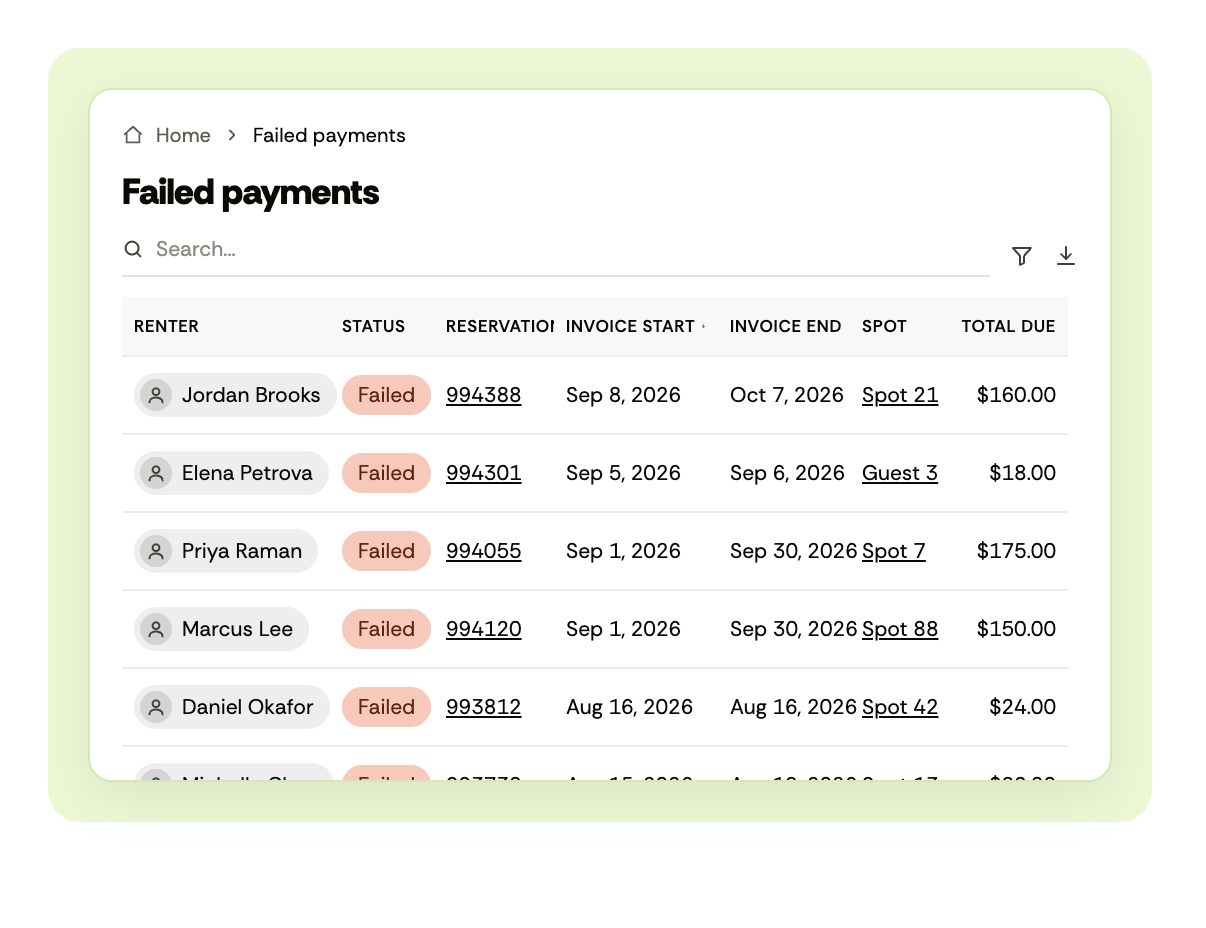
Property managers can see every failed invoice at their property in the new Failed Payments table in the Parkade web dashboard. The table is available under both settings. From it, you can act case by case:
To find it, go to the web dashboard, then Payment alerts > Failed payments.
To change the cancellation setting, go to the Parkade web dashboard, then Manage lot > Info. You can also contact the Parkade team and we'll update it for you.
Questions about failed payments? Reach us at hello@parkade.com.
.jpg)
As a regional property manager, parking may be one of the last items on your list. Discover how you can turn it from a cost center into one of the most powerful revenue drivers across your portfolio.
Read Story

Sometimes parking data lives in email threads. Sometimes in the manager’s head. And oftentimes nowhere at all. We built Parkade to fix all that, and we just shipped new features to make the experience even better.
Read Story
We're proud to announce that Parkade has become a Champion Sponsor of the Parking Reform Network, a nonprofit that educates the public about the impact of parking policy on climate change, equity, housing, and traffic.
Read Story










.svg)